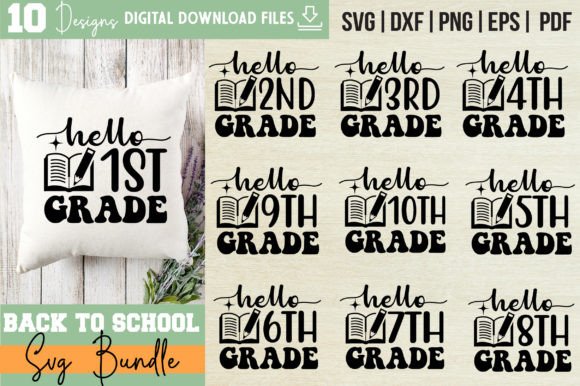
Back to School SVG Bundle - SVG CUT FILE: Your All-in-One Design Toolkit for Seasonal Creativity
Whether you're launching a small craft business, prepping classroom decor, or designing custom merch for your kids’ school events, the Back to School SVG Bundle - SVG CUT FILE delivers ready-to-use, professional-grade vector designs that skip the learning curve and go straight to making.
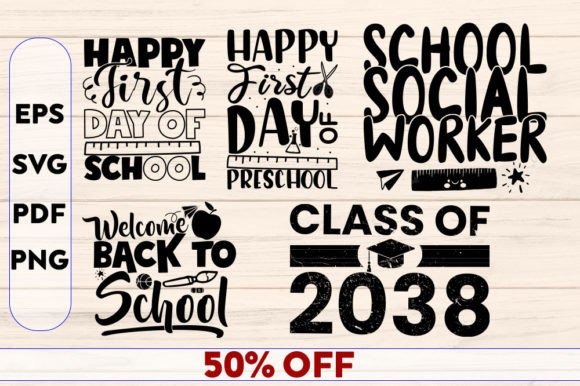
This isn’t just another collection of clipart. It’s a thoughtfully organized set of 5 cohesive, trendy back-to-school themed designs — each delivered in four essential formats: SVG (for Cricut, Silhouette, and other cutting machines), EPS (editable in Adobe Illustrator and CorelDRAW), high-res PNG (4500×5400 at 300 dpi with transparent background), and print-ready PDF. Everything is pre-sorted, labeled clearly, and built from 100% vector shapes — meaning you can scale a tiny sticker up to a 24-inch wall decal without losing crispness.
Real-Life Uses That Make This Bundle Worth Opening Today
Teachers and school staff often spend hours searching for clean, copyright-safe graphics to use in lesson plans, bulletin boards, or parent newsletters. With this bundle, you can instantly drop a polished “First Day of School” icon onto a printable welcome sign, resize it to fit a classroom door banner, or convert it into a vinyl cut for a reusable name tag board — all in under five minutes. No design degree required.
Small-batch crafters and Etsy sellers rely on versatility and speed. Imagine uploading one SVG file to your Cricut Design Space, changing the color to match your latest t-shirt inventory, and cutting dozens of iron-on transfers before lunch. Or using the same design as a watermark on digital planner pages — then exporting the EPS version to tweak spacing and fonts for a matching physical sticker sheet. The consistent quality across formats means your mug wraps, tote bags, and hoodies all feel like part of the same branded collection.
PTA volunteers and school event coordinators juggle tight deadlines and diverse needs. Need matching invitations, raffle tickets, and photo booth props for the annual “Meet the Teacher” night? Pull from the bundle’s cohesive set — no mismatched fonts or inconsistent line weights. Print the PDFs directly for handouts, cut the SVGs for foam-core signage, or layer the PNGs over photos for social media announcements. Everything shares the same visual language, so your event feels intentional, not pieced together.
Who Benefits Most — And How They Use It Differently
- Home-based apparel printers appreciate the 300 dpi PNGs for direct-to-garment previews and the vector files for precise contour cuts on heat-transfer vinyl. Because each design is built with clean paths and minimal anchor points, your cutting machine runs smoother and wastes less material.
- Digital planners and curriculum designers use the transparent PNGs as decorative elements in Canva or PowerPoint — adding subtle academic flair to weekly schedules or editable worksheets — while keeping file sizes light and load times fast.
- Local print shops love receiving EPS or SVG files from clients because they eliminate font substitution issues and guarantee scalability. When a parent orders 50 personalized backpack tags, your shop can open the file, drop in names, adjust spacing, and output straight to printer — no redesigning needed.
What to Keep in Mind Before You Start Creating
The Back to School SVG Bundle - SVG CUT FILE is designed for ease — but clarity around its scope helps you plan smarter. First, it’s a bundle of five distinct designs, not 50 variations. Each one is intentionally versatile: think “school bus + books + apple + chalkboard + graduation cap” themes, rendered in modern, clean lines — not cluttered clipart. That focus makes them adaptable, but it also means they’re best suited for projects where simplicity reads as professionalism.
You’ll get full editing freedom inside vector editors — change colors, rearrange elements, or combine parts across files — but remember: these are not layered PSD files. If you need complex shadow effects or raster-based textures, you’ll add those separately after exporting. Also, while the PNGs are print-ready, always soft-proof colors if you’re matching brand palettes — especially for fabric printing, where RGB-to-CMYK shifts can affect vibrancy.
One important boundary: this is a use license, not a resale license. You’re free to apply these files to physical products you sell — t-shirts, mugs, stickers, tote bags — but you cannot repackage and resell the SVG, EPS, or PNG files themselves as digital downloads. That protects both the designer’s work and your own business integrity when listing on platforms like Etsy or Amazon Merch.
Why “Trendy Design” Matters More Than You Think
The phrase “Back To School SVG Bundle – Trendy Design” isn’t just marketing fluff. Trends shape perception — and perception drives engagement. A chalk-drawn aesthetic with soft shadows and hand-lettered accents feels warm and approachable for preschool teachers. A bold, geometric “Class of 2025” layout resonates with high school students ordering senior gear. The bundle leans into current visual preferences — generous negative space, balanced weight distribution, and scalable simplicity — so your creations look current without chasing fads.
That trend-aware foundation also future-proofs your projects. Unlike overly detailed illustrations that date quickly, these designs use timeless shapes and restrained styling. You can recolor them for fall festivals, adapt them for teacher appreciation week, or even flip the palette for “Back to Work” office supplies — all without feeling off-brand.
A Practical Note on File Organization
All files are grouped by design name — not format — so “Apple & Pencil.svg”, “Apple & Pencil.eps”, “Apple & Pencil.png”, and “Apple & Pencil.pdf” live together in one folder. This eliminates the frustration of hunting across six separate folders just to test how a single motif looks printed versus cut. It also makes batch-uploading to cloud storage or design platforms faster and more reliable.
No hidden layers, no locked objects, no password-protected files. Just clean, well-named assets — ready to open, edit, resize, and deploy exactly where you need them most.